Connecting Clojure-MCP to Alternative LLM APIs
Introduction
Clojure-mcp, created by Bruce Hauman, connects LLMs to a Clojure nREPL via the Model Context Protocol (MCP). It provides specialised tools — such as clojure_eval — that let an LLM evaluate code, inspect results, and iteratively refine its output through a tight feedback loop with a live REPL.
The standard setup path uses Claude Desktop or Claude Code, both of which have first-class MCP support. But what if you’re in a region where Claude applications are unavailable, or you simply prefer a different model? This post walks through an alternative: connecting clojure-mcp to the DeepSeek API via Cline and clojure-mcp-examples.
While we use DeepSeek as the example, the same approach works with other API providers that Cline supports — including OpenRouter, Qwen, and Groq. For users who prefer to keep everything local, Cline also supports models running via Ollama or LM Studio, so the entire chain can run on your own machine.
Architecture Overview
The connection chain looks like this:
LLM API (e.g. DeepSeek) ↔ Cline ↔ mcp-proxy (stdio↔HTTP/SSE bridge) ↔ clojure-mcp (stdio) ↔ nREPLEach component plays a distinct role:
| Component | Role |
|---|---|
| nREPL | The Clojure REPL where code actually executes |
| clojure-mcp | Wraps nREPL and exposes MCP-standardised tools (e.g. clojure_eval) via stdio |
| mcp-proxy | A Python-based transport bridge that converts stdio ↔︎ HTTP/SSE (port 7080) |
| Podman container | Runs mcp-proxy and clojure-mcp together in an isolated environment |
| Nix/devenv | Ensures a reproducible environment with all dependencies version-pinned |
| Cline | A VS Code extension that bridges the user, the LLM API, and any MCP servers |
| LLM (DeepSeek) | The reasoning engine that decides when and how to call tools |
Why do we need mcp-proxy? The core clojure-mcp server communicates via stdio — it doesn’t expose a network endpoint. For Cline (or any third-party client) to reach it, mcp-proxy translates between stdio and HTTP/SSE, making the server accessible over the network on port 7080.
Why a container? The Podman container packages the proxy and clojure-mcp together, providing isolation from the host system and making the environment portable. Podman is similar to Docker but runs rootless by default with no central daemon.
Why Nix/devenv? Nix and devenv declaratively provision all dependencies — Podman, Clojure, mcp-proxy, etc. — in a version-pinned, reproducible way. The environment will be identical whether you’re on Linux, macOS, or WSL.
Why Cline rather than VS Code’s built-in Copilot? Cline is an open-source AI coding agent that makes it straightforward to connect to a wide range of API providers. VS Code’s Copilot can also connect to alternative APIs, but the setup is more involved and requires additional extensions. Cline gives you a simple dropdown to switch between models and providers.
How It Works at Runtime
Once everything is connected, a typical interaction proceeds as follows:
- You enter a prompt in Cline (e.g. “Write and test a Clojure function that reverses a string”).
- Cline sends the prompt to the DeepSeek API.
- DeepSeek reasons about the task and may decide to call a tool. It returns a tool-call request (e.g.
clojure_eval) in its response. - Cline intercepts the tool call and translates it into an MCP request, forwarding it over HTTP/SSE to mcp-proxy → clojure-mcp → nREPL.
- The REPL executes the code and returns the result back through the chain.
- Cline feeds the tool result back to DeepSeek.
- DeepSeek continues reasoning — possibly making further tool calls — until it produces a final response.
- Cline displays the final answer, along with token usage and approximate cost.
This agentic loop lets the LLM iteratively write, test, and refine Clojure code with real REPL feedback.
Setup
The setup uses clojure-mcp-examples by Stoating (Zachary Slade), which provides containerised environments for running clojure-mcp with mcp-proxy. (The project supports four different architectural patterns and multiple simultaneous clients — see its README for the full picture. Here we use just what we need for the Cline/DeepSeek path.)
Step 1: Clone and install Nix
git clone https://github.com/stoating/clojure-mcp-examples.git && cd clojure-mcp-examples && ./bootstrap/01-install-nix.shImportant: Close your terminal and open a new one after this step.
Step 2: Install devenv and enter the development shell
./bootstrap/02-install-devenv.sh && devenv shellThis installs devenv and enters the development shell with all dependencies (Podman, Clojure, mcp-proxy, etc.) available.
Step 3: Start the container
startThis brings up the containers. The MCP server will be available at
http://localhost:7080/sse.
(There is no need to run bridge or claude-std, as those generate configurations for Claude Desktop/Code, which we are not using here.)
Step 4: Install and configure Cline
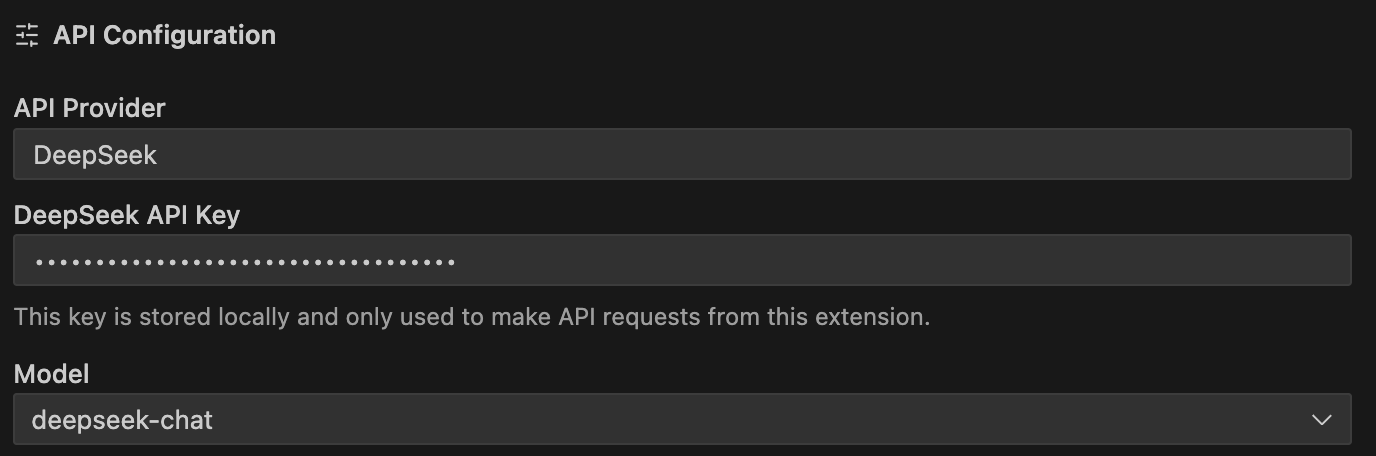
With the container running, open VS Code and install the Cline extension. In Cline’s settings, under API Provider, select DeepSeek, enter your API key (obtainable from the DeepSeek dashboard), and choose your preferred model. (See Cline’s model selection guide for details.) The finished settings should resemble this:
Step 5: Connect Cline to the MCP server
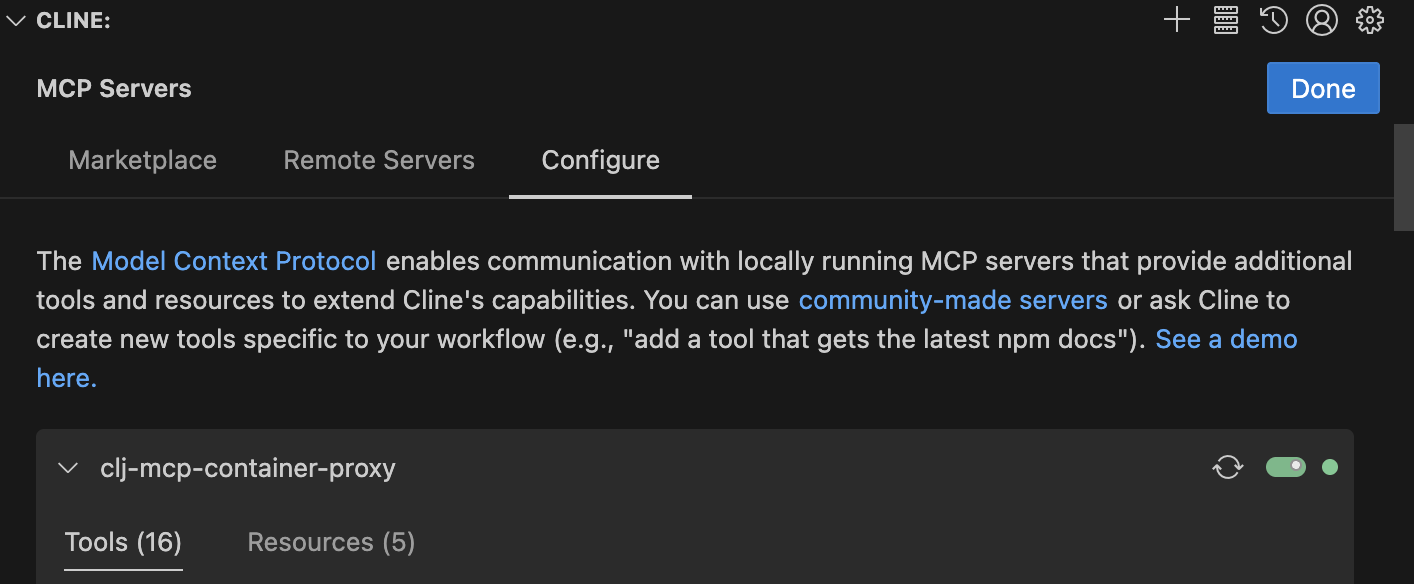
In Cline’s top navigation bar, click the MCP Servers icon, then Remote Servers. Add a new server with the SSE endpoint URL:
http://localhost:7080/sse
Enter a name for the server (e.g. “clojure-mcp”) and select SSE (Legacy) for Transport Type. Select Add Server. Once connected, Cline should show the server as active, and you can browse the available tools and resources in Configure:
For more advanced MCP server configuration options in Cline, see Cline’s MCP documentation.
Step 6: Grant permissions
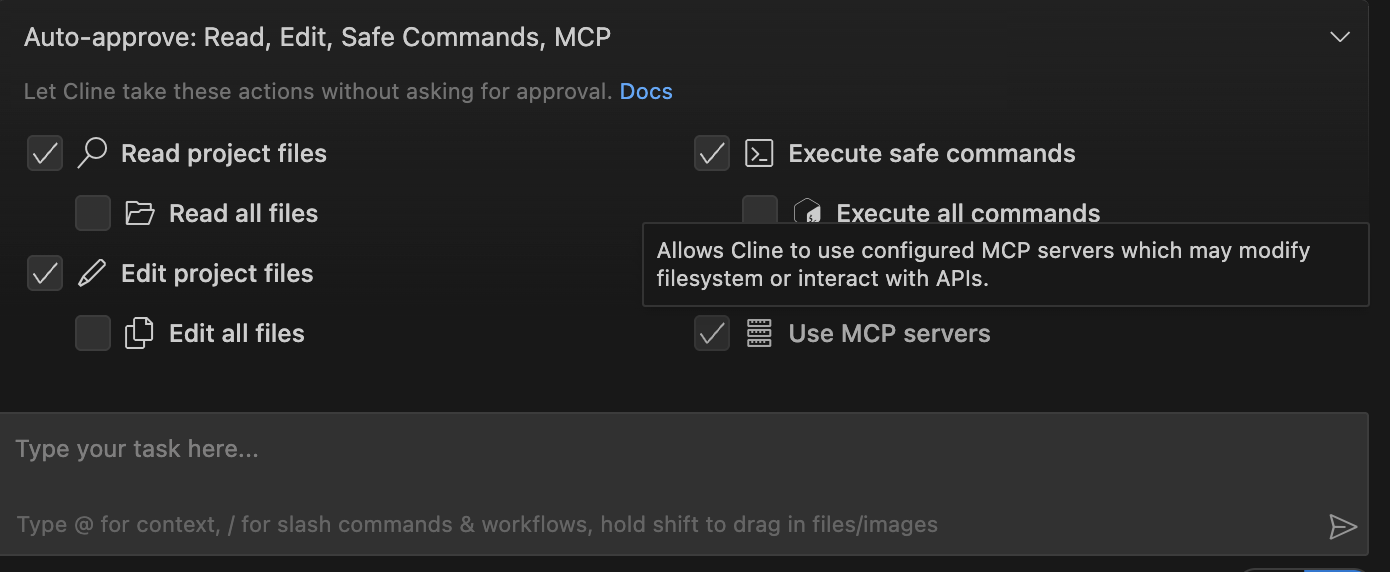
In the bar above Cline’s prompt input, grant Cline permission to use the MCP servers. You can set read, write, and execute permissions here. The setup is now complete.
Wrapping Up
With this setup, Cline acts as the bridge between any LLM API and clojure-mcp. It translates the LLM’s tool-call responses into MCP requests, forwards them to the containerised clojure-mcp server, and feeds the REPL output back to the model. Cline also displays token usage and cached tokens per prompt, with rough cost estimates based on the provider’s rates.
The same approach works beyond DeepSeek — configure a different API key and model in Cline’s settings and the rest of the chain stays the same. For fully local setups, Cline’s support for Ollama and LM Studio means the entire chain can run on your machine with no external API calls.
Thanks to:
- Daniel Slutsky for comments on an earlier draft
- https://github.com/bhauman/clojure-mcp
- https://github.com/stoating/clojure-mcp-examples
- https://github.com/sparfenyuk/mcp-proxy
- https://github.com/cline/cline
source: src/clojuremcp/llmapi.clj